Free PremiumHalloween onlyHalloween offer: your first month of Premium free, plus Wick — gone at midnight Oct 31.

--
Claim it
NEWCoach reads your photos and files — then checks it stuck

Your semester,
finally under control.

StudyFlow reads your syllabus, plans your weeks, keeps you focused and tutors you from your own notes — so the night before a midterm feels like any other night.

  • Free forever plan
  • Works on your phone, offline
  • Cancel Premium any time
Halloween offer

Your first month of Premium is free.

Ends at midnight on Halloween

--
days
--
hours
--
min
--
sec

Start before the clock runs out and Wick, our Halloween jack-o'-lantern, is yours to keep. When it hits zero, the free month and Wick are gone for good.

Claim my free month$0 for 30 days · cancel anytime
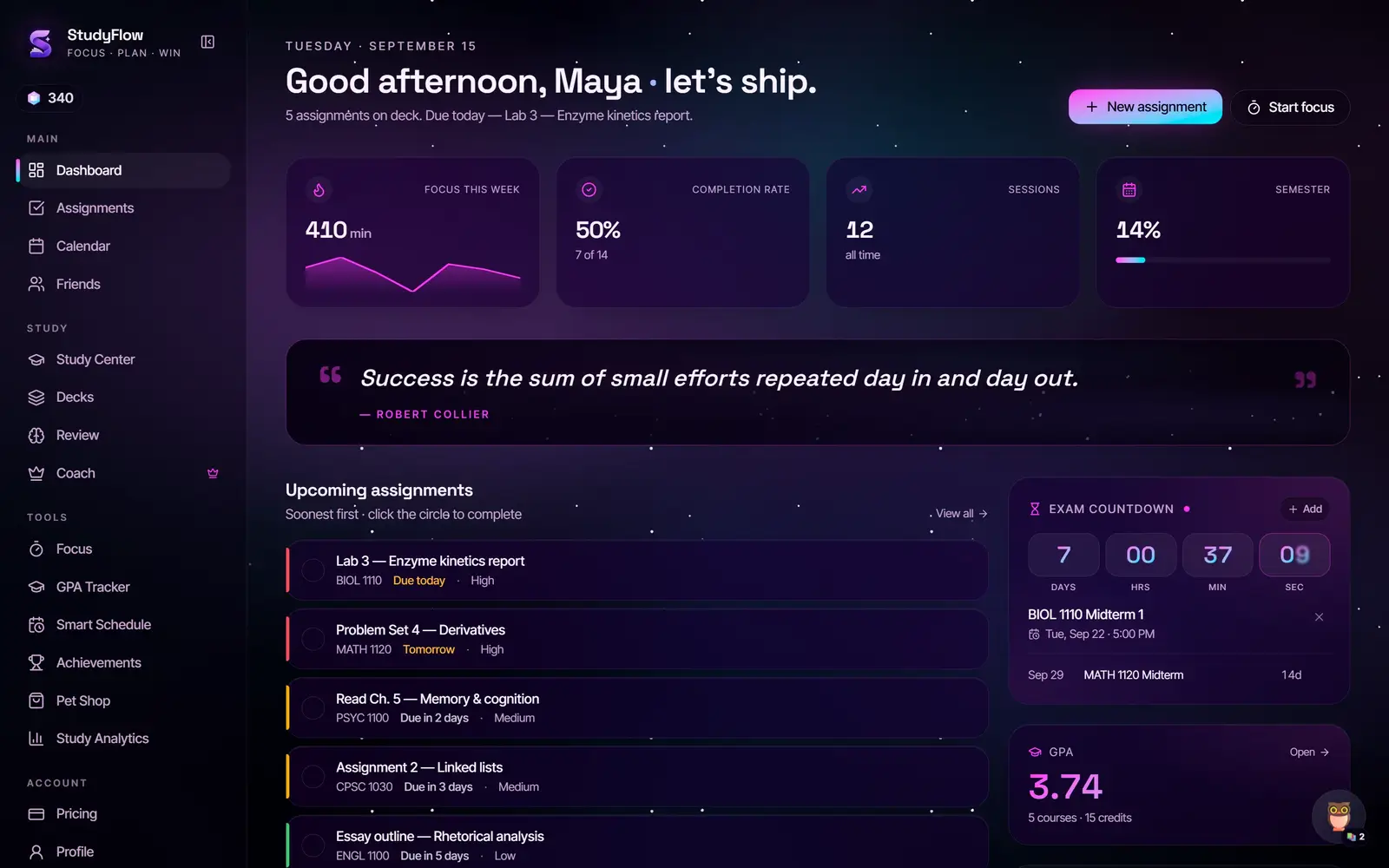
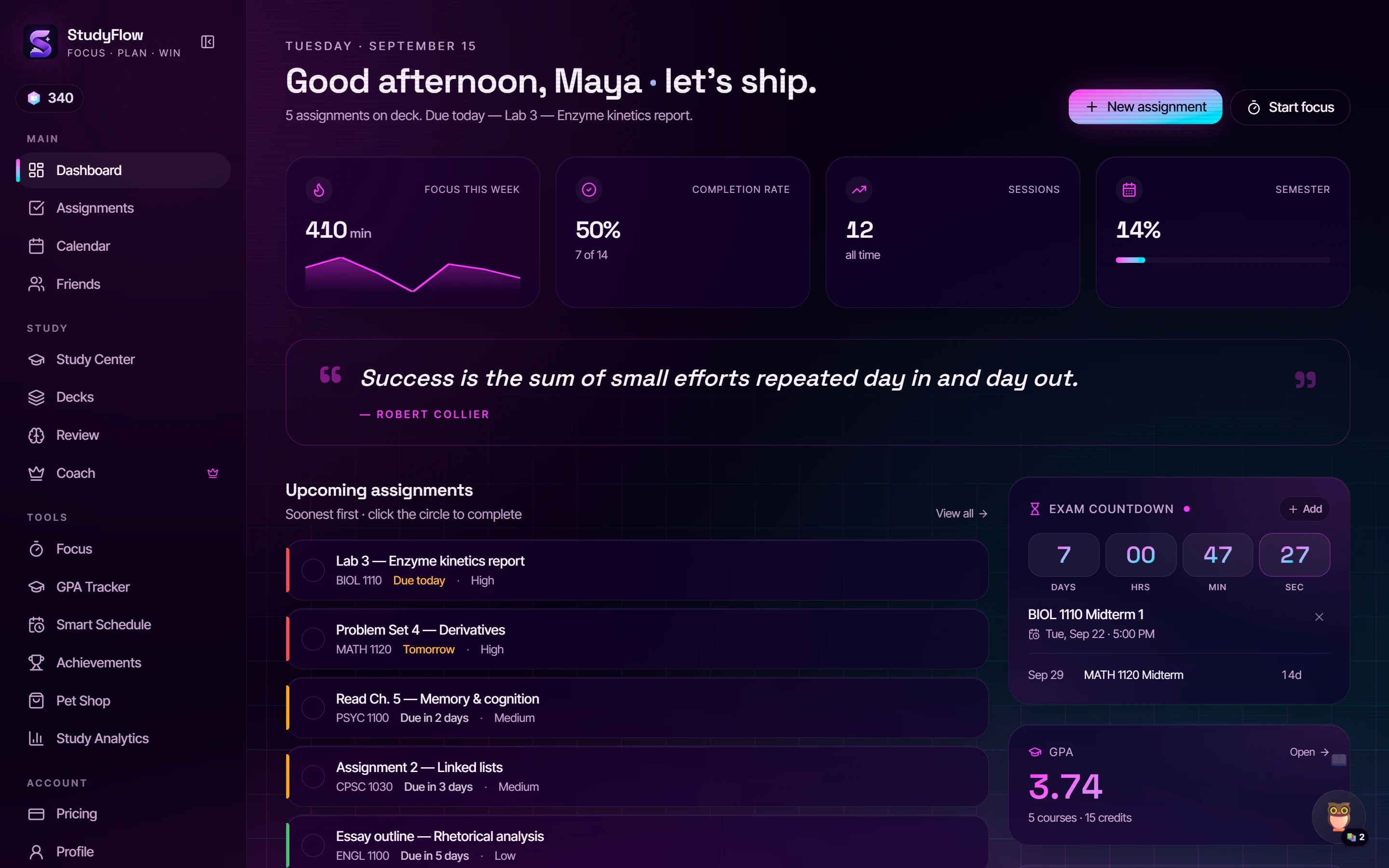
Actual screenshot · Dashboard · Cyber NeonThe StudyFlow dashboard in the Cyber Neon theme: greeting, focus and completion stats, upcoming assignments and an exam countdown

Same dashboard, six of the eight themes — pick one and the whole page follows.

Syllabus scannerFocus timerStudy Together roomsAI CoachTeach it backFlashcardsPractice examsStudy guidesGPA trackerGrade ForecastSmart ScheduleBreak HopperJetpack RushPet ShopAchievementsStudy Analytics8 themesLock-screen timerWorks offline
Why it exists

Midterm in 7 days. Which Sunday night do you want?

Every student already has a system. It's just spread across seven apps that don't know each other.

Sunday · 11:40 PM

Without StudyFlow

Canvas — due datesGoogle Calendar — classesPhotos — syllabus screenshotTimer appQuizlet — someone else's cardsGPA spreadsheetGroup chat: "wait is the lab due tomorrow??"

Seven places to check. Zero of them know each other. The midterm is a date in your head, not a plan.

Sunday · 11:40 PM

With StudyFlow

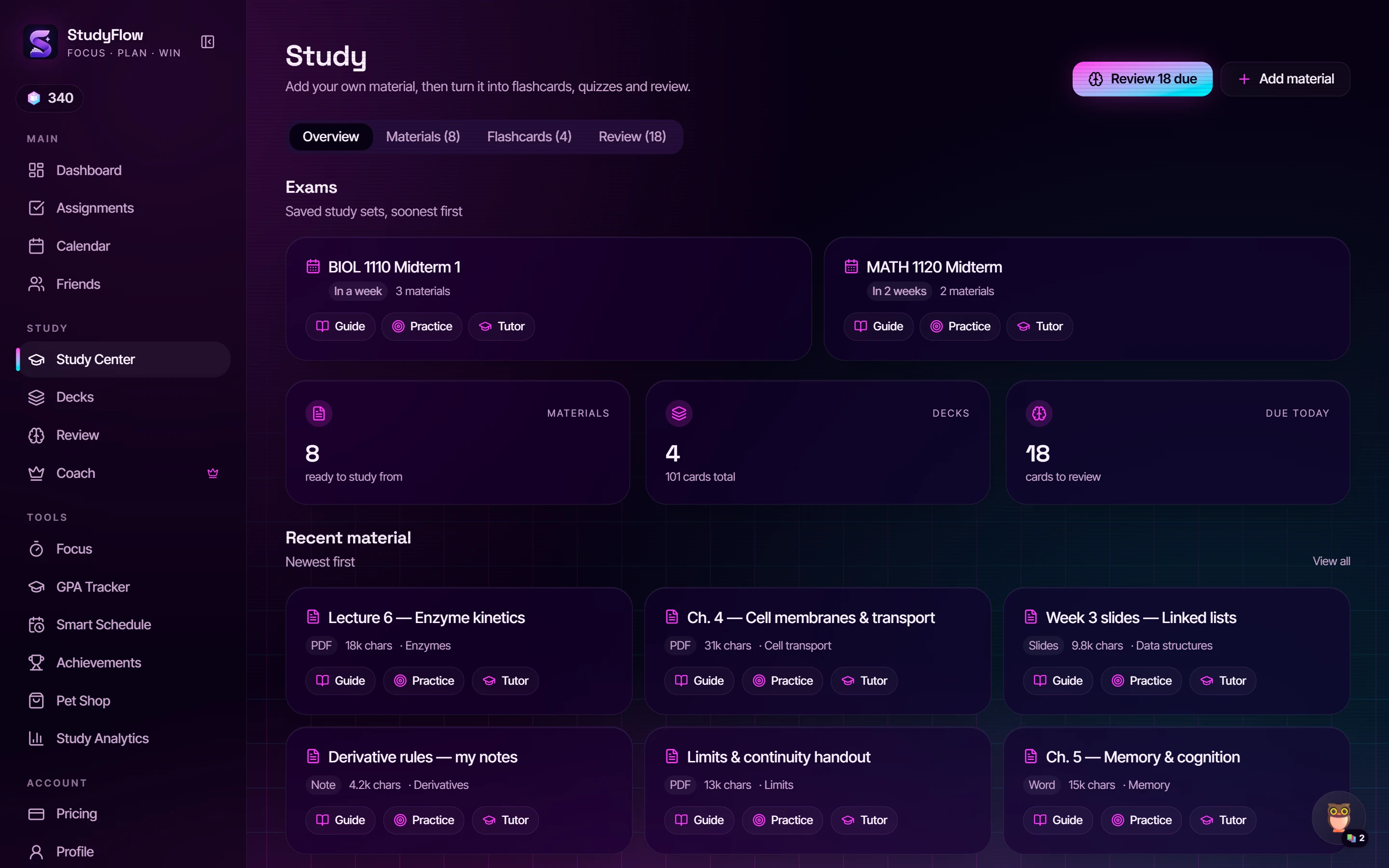
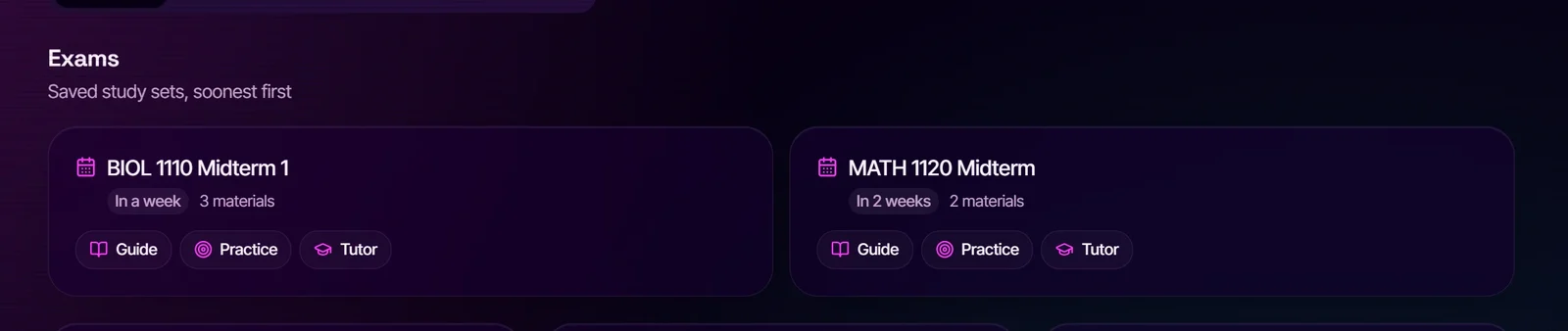
Study Center exam cards: BIOL 1110 Midterm 1 in a week with 3 materials and Guide, Practice and Tutor buttonsActual screenshot
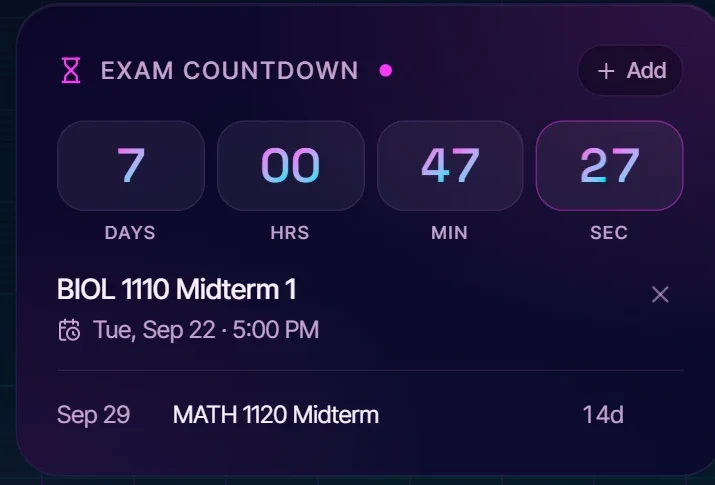
Dashboard exam countdown: 7 days to BIOL 1110 Midterm 1Actual screenshot

The countdown is on the dashboard. The study set is built from your own lecture PDFs. Guide, Practice and Tutor are one tap away.

The product

Every part of the term, in the order you'll use it.

Nothing here is a mockup. These are the screens you'll open every day.

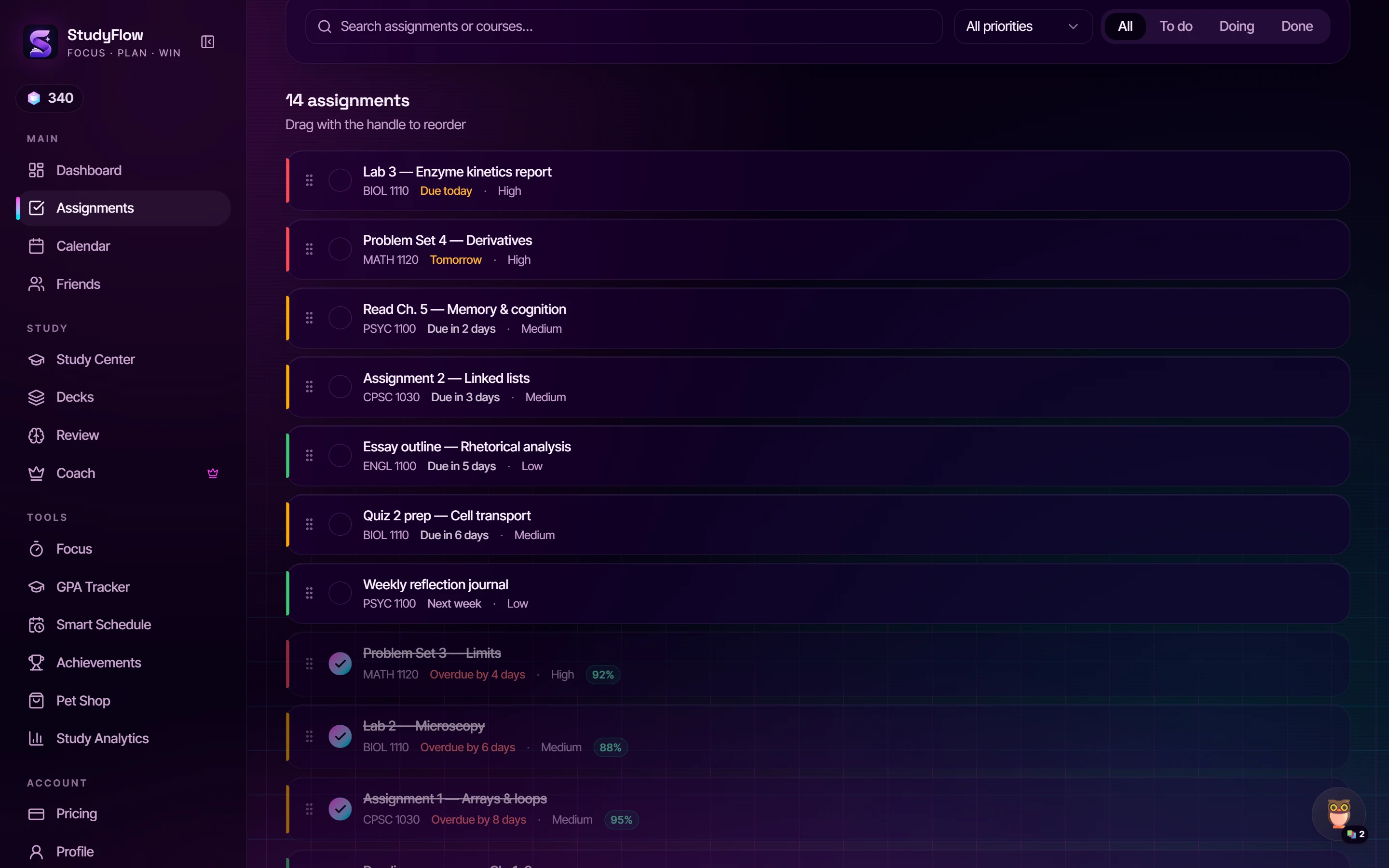
Assignments

Every deadline, one honest list.

Sort by what's due, drag to reorder, tick the circle when it ships. Graded work feeds your Academic Insights. Paste in your assignment list and the dates are parsed on your device — free, forever. Premium adds the syllabus scanner: drop the PDF and it fills itself in.
Calendar

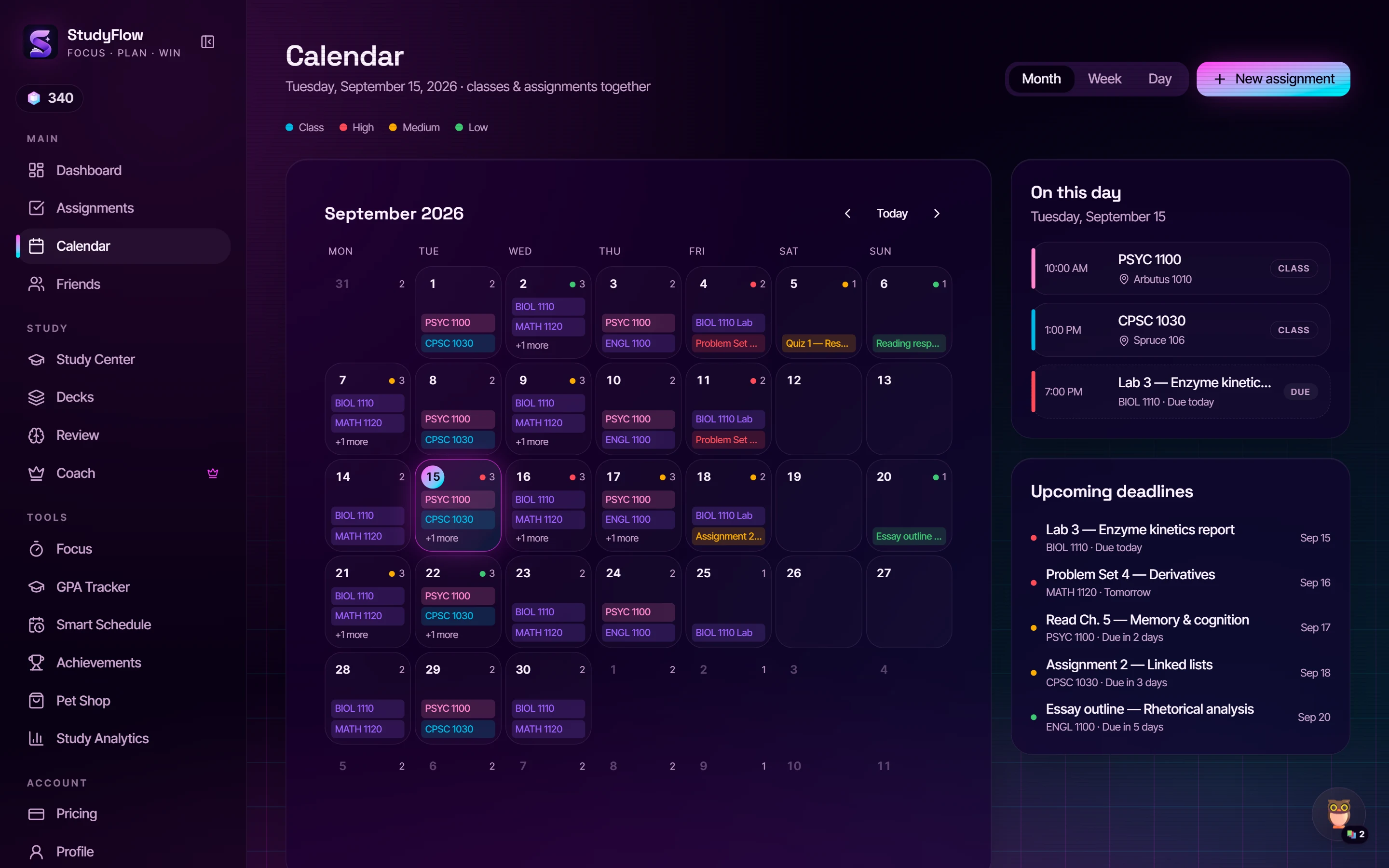
Classes and deadlines on the same grid.

Your timetable and your due dates finally live in one place. Click any day for the full picture; upcoming deadlines sit beside it so nothing sneaks up on you.

Focus

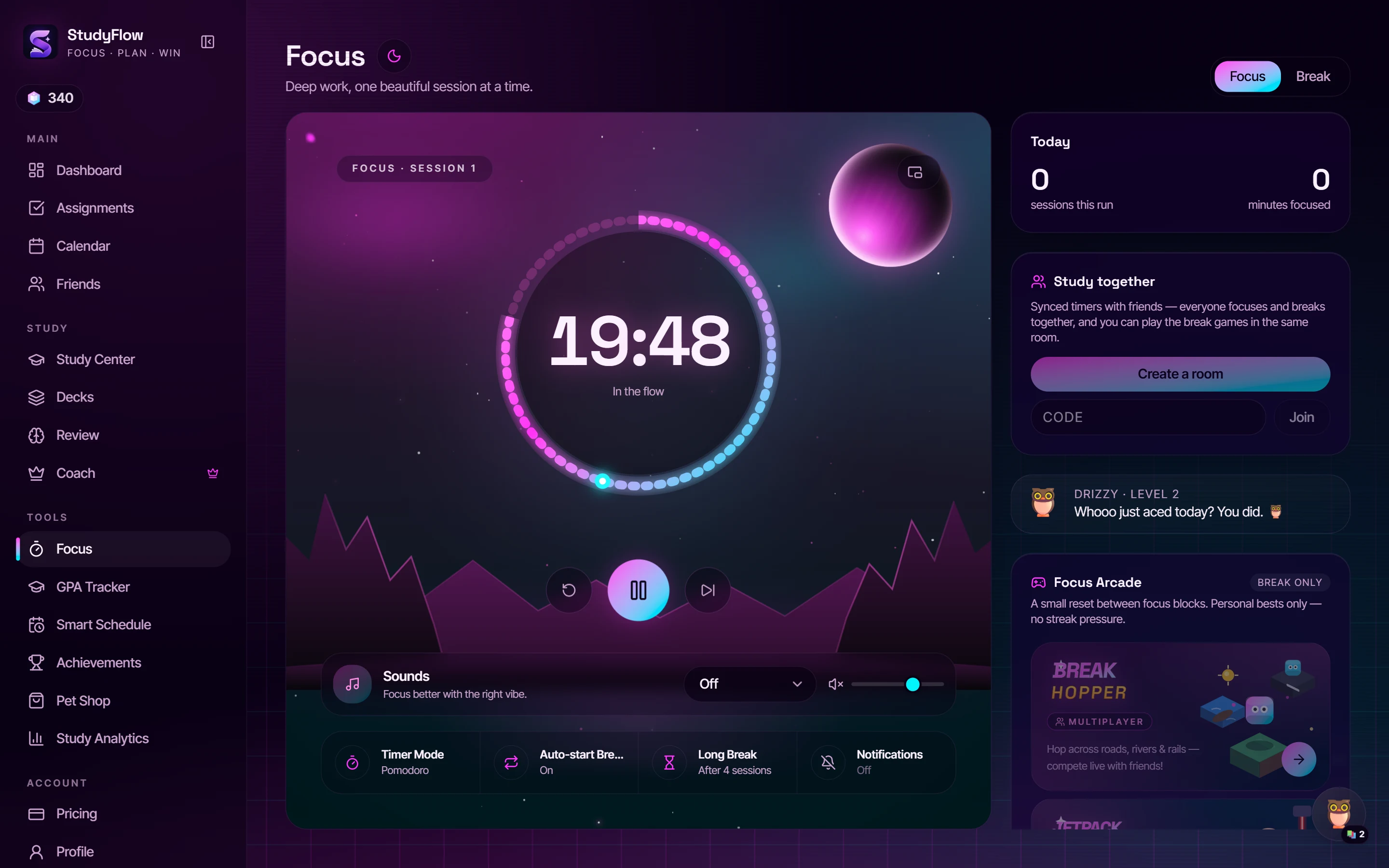
A timer that earns its place.

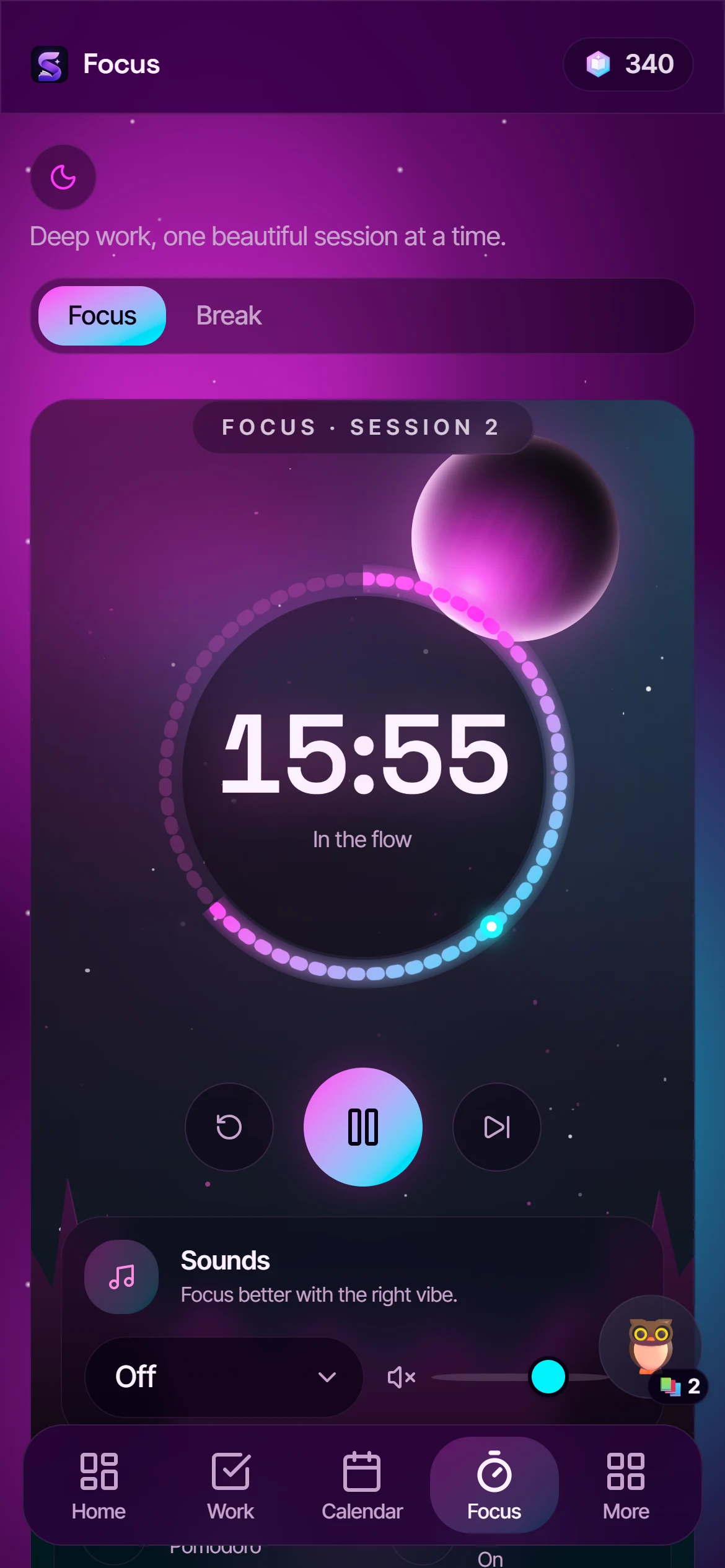
Pomodoro by default. Ambient sound beds, auto-start breaks, a pop-out window for your second monitor — and on your phone, a real lock-screen widget. Every session pays out StudyTokens.

Study Center

Your notes, turned into practice.

Upload lectures and readings once. Flashcards, quizzes, a study guide or a full practice exam come from the actual material — not the internet's idea of your course. 3 AI runs a day free, 25 on Premium.

Premium · $6.99 a month

This is what Premium looks like.

A stronger model, higher daily limits, the scanners, the forecasts — and the themes everyone screenshots.

AI Coach · Teach it back

The only tutor that checks it actually stuck.

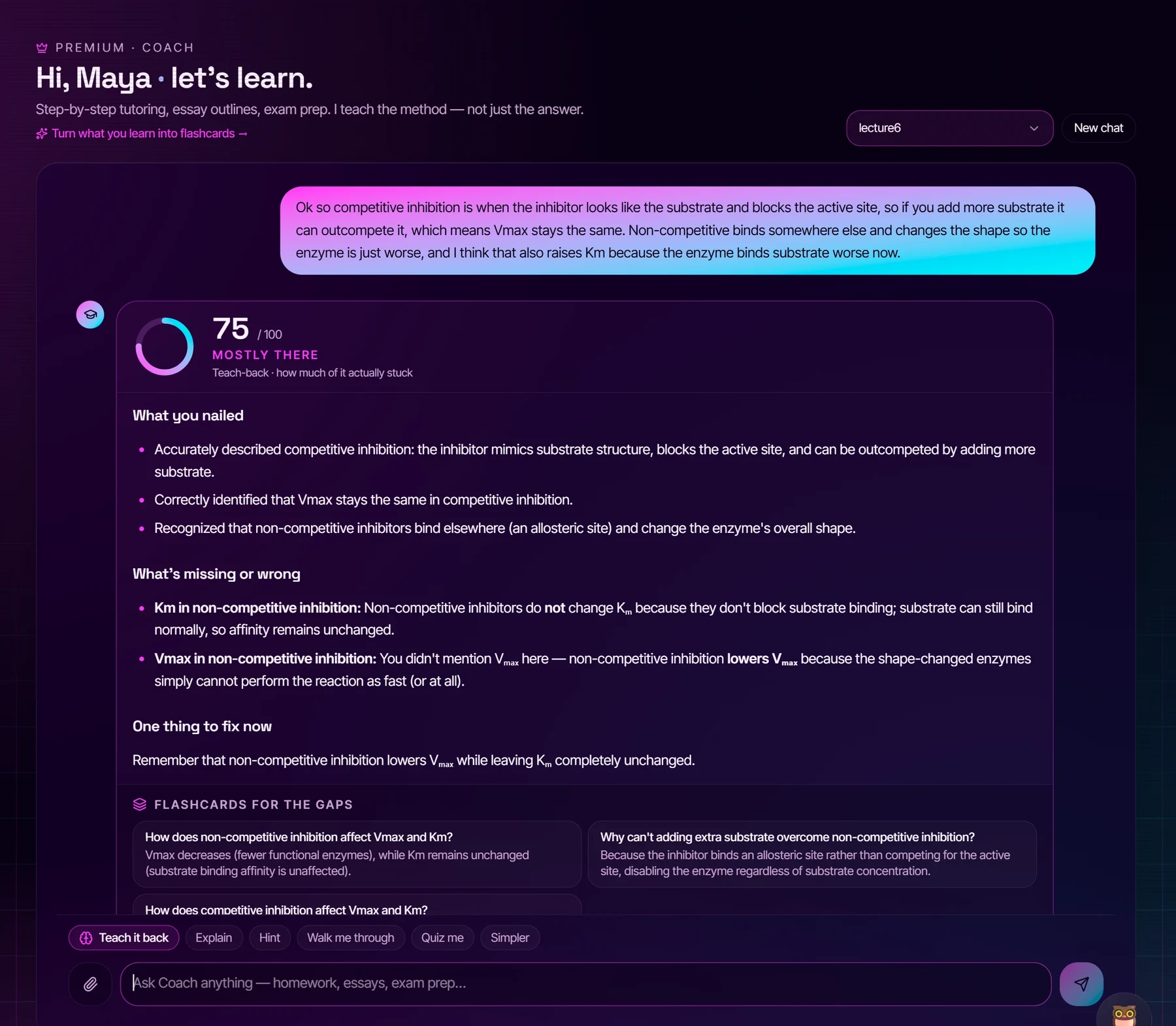
AI Coach in teach-back mode: the student's own explanation, an understanding score of 75, what they nailed, what was missing, one fix, and three flashcards generated for the gapsReal assessment · Premium model (gemini-3.6-flash)

Maya attached her lecture PDF, got the explanation, then explained enzyme inhibition back in her own words. Coach scored what actually stuck, named the one idea she had backwards, and turned the gaps into three flashcards — one tap adds them to a deck that spaced repetition brings back before the midterm. ChatGPT can explain; nothing else closes the loop.

What Premium unlocks

$6.99 /month · or $49.99/year
  • 100 Coach messages a day, on the stronger modelPhotos, files and Teach-it-back on every one. Free gets 5 a day to try it.
  • Syllabus, timetable & transcript scannersDrop the PDF or a photo; assignments, classes and grades fill themselves in.
  • 25 AI runs a dayFlashcards, quizzes, guides, practice exams. Free gets 3.
  • Stronger AI model on every generation
  • Grade Forecast, goal solver & Academic Insights
  • Study Analytics
  • Every theme + the Galaxy backdrop
Go Premium

Finals week only? Finals Pass — $3.99 for 7 days, nothing renews.

Grade Forecast Premium

Know where every class is heading — before the final.

Every graded assignment feeds a projection per course. Type the grade you want and the goal solver tells you the average you need on what's left.

  • 01Projected final, from what's already graded
  • 02Keep pace · Rough patch · Best case scenarios
  • 03“Aim for 90%” — the number you need on the remaining work
Study Analytics Premium

See the week as it actually went.

Total focus, completion rate, your most productive day and a semester projection at your current pace — then the trend over the last two weeks and where your focus really lands.

  • 01Study-time trends, day by day
  • 02Focus by weekday — when your brain shows up
  • 03Task breakdown by priority
Galaxy backdrop Premium

A live nebula behind every theme.

One switch in Settings and a slow-drifting starfield sits behind the whole app — every page, every theme, on your phone too. It's the thing people screenshot.

  • 01Works with all eight themes
  • 02Drifts slowly; never in the way of the timer
  • 03Turns off with one tap when you want it quiet

Premium is $6.99 a month. Finals Pass is $3.99, once.

Cancel any time; your data stays. The pass never renews.

On your phone

No app store. Add it to your home screen.

Open StudyFlow in your phone's browser once and add it to your home screen. It opens full-screen, works offline, and the focus timer shows on your lock screen.

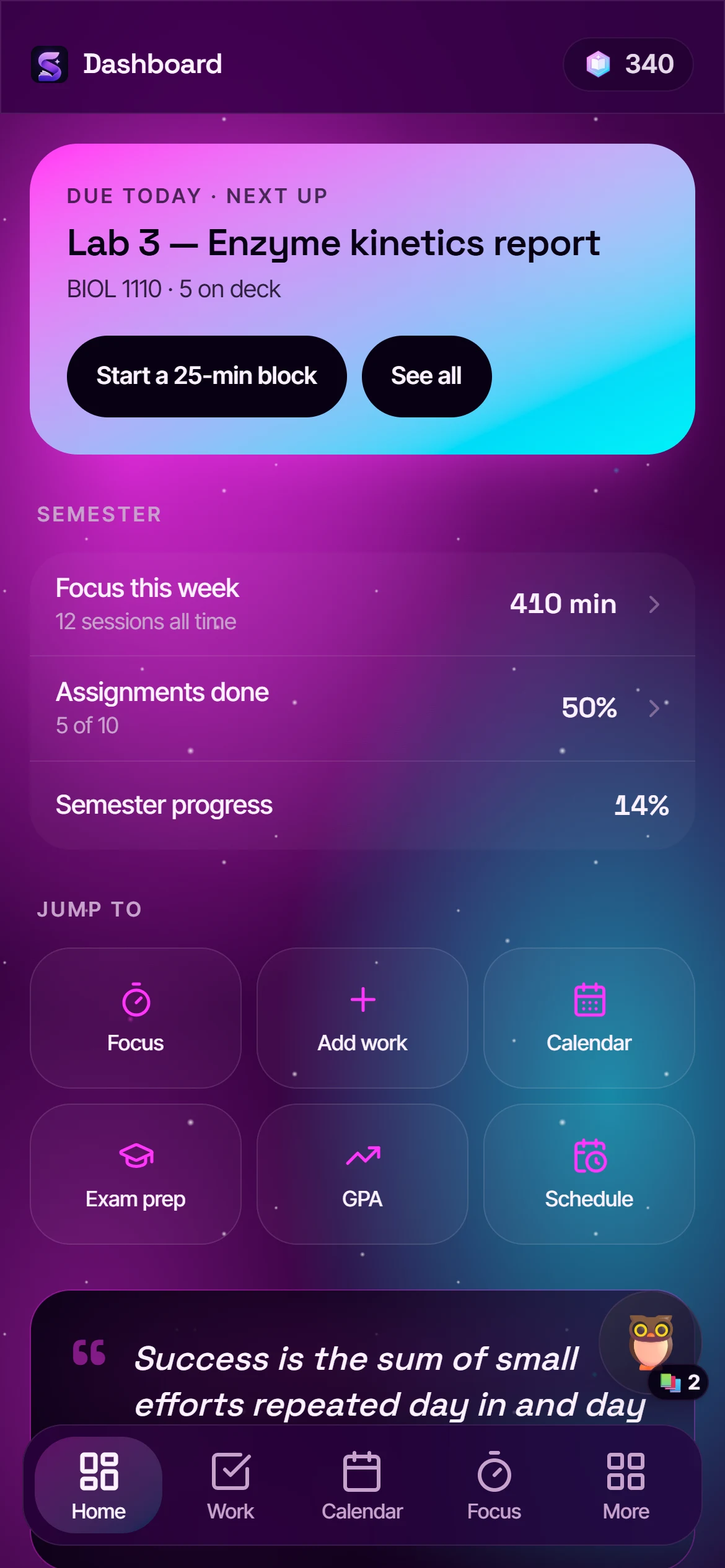
Dashboard on a phone with the Galaxy backdrop
Focus timer on a phone
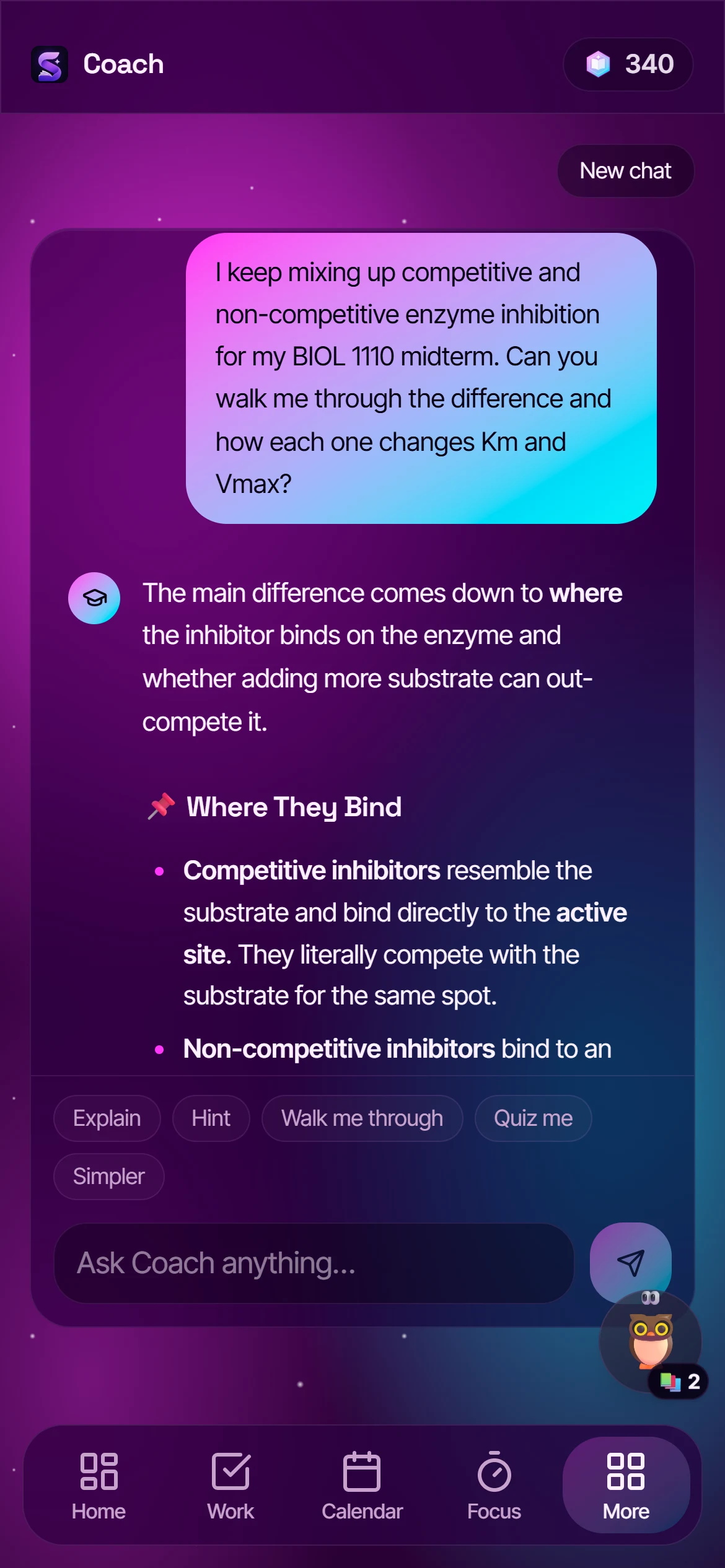
AI Coach on a phone
Actual screenshots · 390 × 844 · Galaxy backdrop on

iPhone & iPadSafari

  1. 1Open StudyFlow in Safari and sign in.
  2. 2Tap the Share button — the square with the arrow.
  3. 3Scroll down, tap Add to Home Screen, then Add.

It has to be Safari — other iPhone browsers can't add pages to the home screen.

AndroidChrome

  1. 1Open StudyFlow in Chrome and sign in.
  2. 2Tap the ⋮ menu in the top-right corner.
  3. 3Tap Add to Home screen — some phones call it Install app — then Add.

Samsung Internet works too: Menu → Add page to → Home screen.

Then turn on remindersSettings → Deadline reminders

A morning briefing with what's due, a heads-up the evening before every deadline and again on the day, a week's notice before each exam, a streak check when you're about to lose one, and a Sunday recap. One switch, on any device — and nothing at 3am, ever: reminders land in your own timezone.

  • 2 due today8:00 AM

    Lab report · Problem set 4 · 12 cards to review

  • Due tomorrow7:59 PM

    Current Liabilities (Chapter 10) · a look tonight beats a scramble in the morning.

  • Streak check8:00 PM

    6-day streak on the line. Ten minutes tonight keeps it alive.

  • Your week in numbers6:00 PM

    210 focused min · 5 tasks done · 84 cards reviewed.

In the app

Then, actually take a break.

Finish a focus block and the Focus Arcade opens for your break — two multiplayer games built into StudyFlow. Play a round with friends, then get back to it.

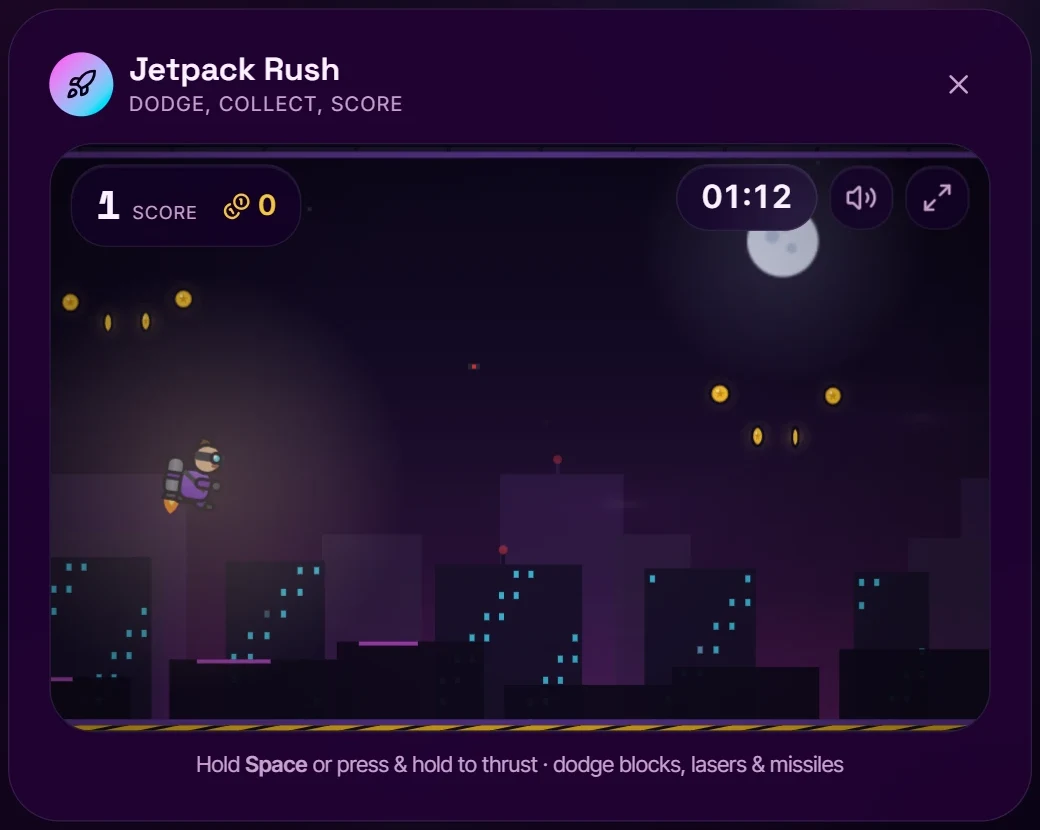
  • Jetpack Rush — fly the neon district, dodge lasers and missiles; a top score pays out StudyTokens
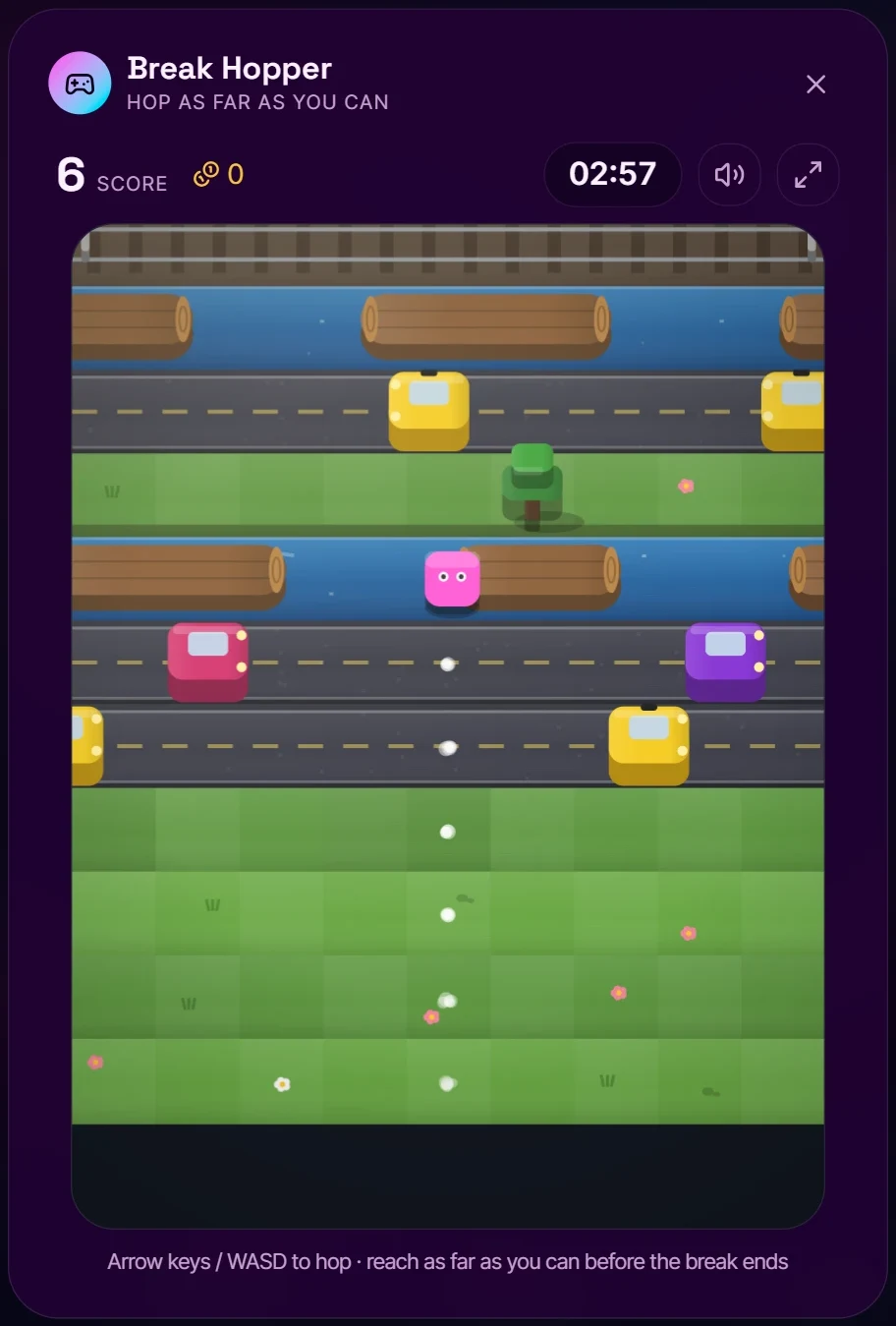
  • Break Hopper — hop roads, rivers and rails; coins unlock characters and worlds
  • Race friends live in real-time rooms, or study together on a synced timer
  • Plus quick brain games: Reaction Rush, Memory Match, Typing Sprint, Emoji Hunt
Jetpack Rush mid-flight: the pilot airborne over the neon skyline collecting coins
Jetpack Rush · actual in-app screenshot
Break Hopper mid-run: the character crossing a river on a log between roads with cars
Break Hopper · actual in-app screenshot
And the rest

Built for students, down to the details.

Syllabus scannerPremium

Drop the syllabus PDF or a photo. Assignments, quizzes and exams land in your list with the right dates — review everything before it's added.

Flashcards from your own notes

Generate a deck from any material, flip, grade yourself — and each card comes back right before you'd forget it.

GPA tracker

Add courses and grades; we do the math. Premium scans your transcript.

A pet, and a shop

StudyTokens you earn by focusing — spend them on your companion.

Achievements

Earned through real work — no shortcuts.

Smart Schedule

Your weekly timetable, synced to the cloud and drawn on the calendar. Premium scans it from a photo of your timetable.

How it works

From syllabus to done in three moves.

Get the term in

Paste your assignment list, or on Premium drop the syllabus PDF. Every deadline lands on the list and the calendar — review before anything is added.

Focus in blocks

Start a 25-minute block from the dashboard. Every session logs itself, feeds your streak, and pays out StudyTokens for the break.

Review before the exam

Build a study set from your own material, run the practice exam, ask Coach what you got wrong, and watch the countdown do its job.

Pricing

Free covers the whole semester.

Premium raises the AI limits and unlocks the scanners and forecasts. Cancel any time; your data stays.

Free

$0 forever

Everything a term needs.

  • Unlimited assignments & calendar
  • Paste-in assignment import
  • Focus timer, Arcade & Study Together
  • GPA tracker & Smart Schedule (manual entry)
  • 3 AI runs and 5 Coach messages a day
  • 4 core themes
  • Syllabus, timetable & transcript scanners
Start free
Halloween offer

Premium

billed monthly
$0 for 30 days
Halloween

Then $6.99 a month. Cancel before then and you pay nothing.

  • Everything in Free
  • Wick the jack-o'-lantern, yours to keep — Halloween only
  • Syllabus, timetable & transcript scanners
  • 25 AI runs and 100 Coach messages a day
  • Stronger AI model for every generation
  • Grade Forecast, goal solver & Academic Insights
  • Study Analytics
  • Every theme + Galaxy backdrop
Claim my free month
Ends midnight, Oct 31
One-time pass

Finals Pass

7 days
$3.99 once

A week of Premium for the week that matters. Nothing renews.

  • Every Premium feature for one week
  • Built for midterms and finals
  • Buy it again next exam season, or don't
Get the pass
FAQ

Questions, answered.

Yes. Free includes unlimited assignments, the calendar, focus timer, arcade, GPA tracker and four themes — forever, no credit card — plus 3 AI runs and 5 Coach messages every day. Premium raises those limits, uses a stronger model, and unlocks the scanners, Grade Forecast, Study Analytics and every theme.

Ready when you are

Your best semester
starts tonight.

Background: actual screenshot · Galaxy backdrop, Cyber Neon
Loading your workspace…